Dashboard
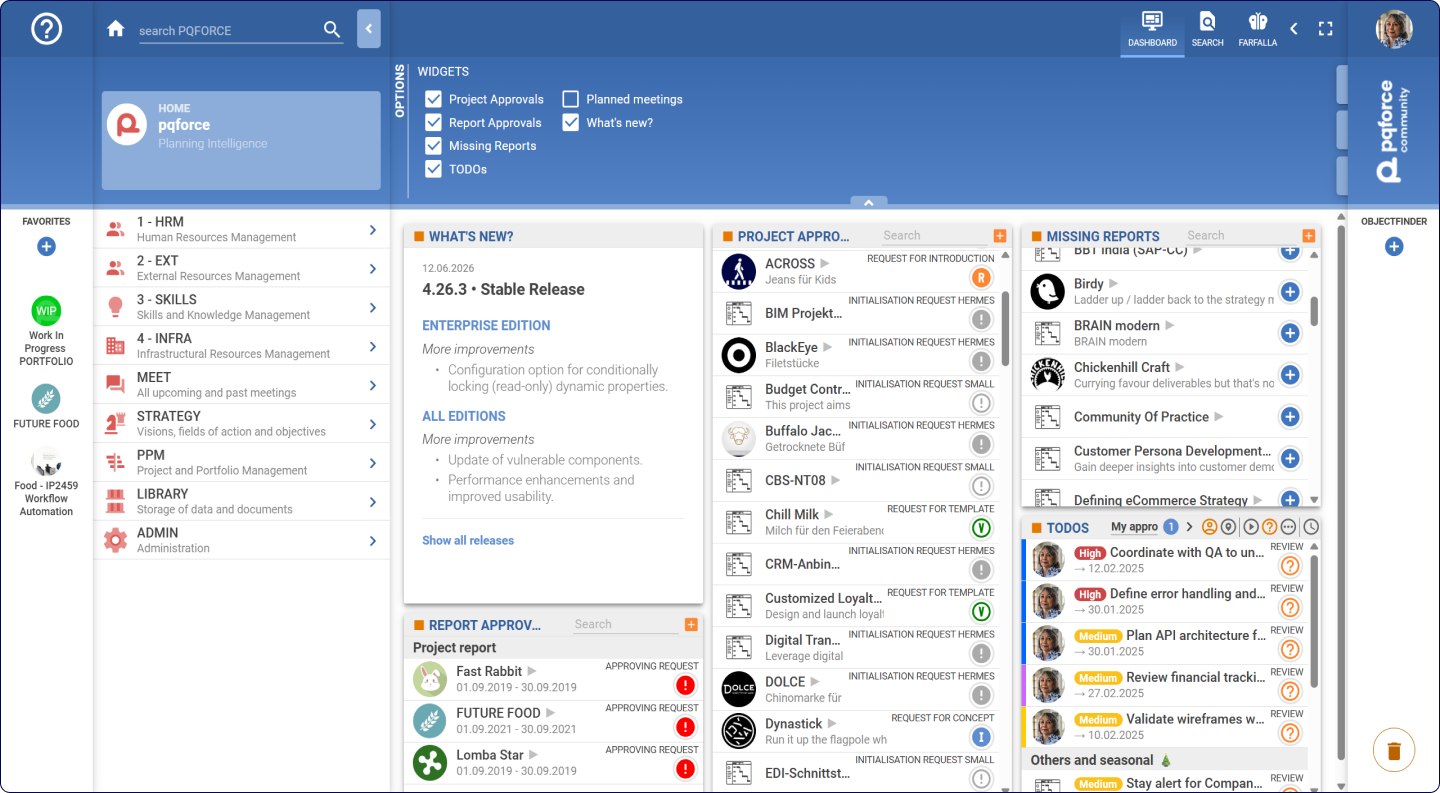
The PQFORCE Dashboard presents several widgets and shortcuts to expedite access to various functional views for performing actions.
Workspace
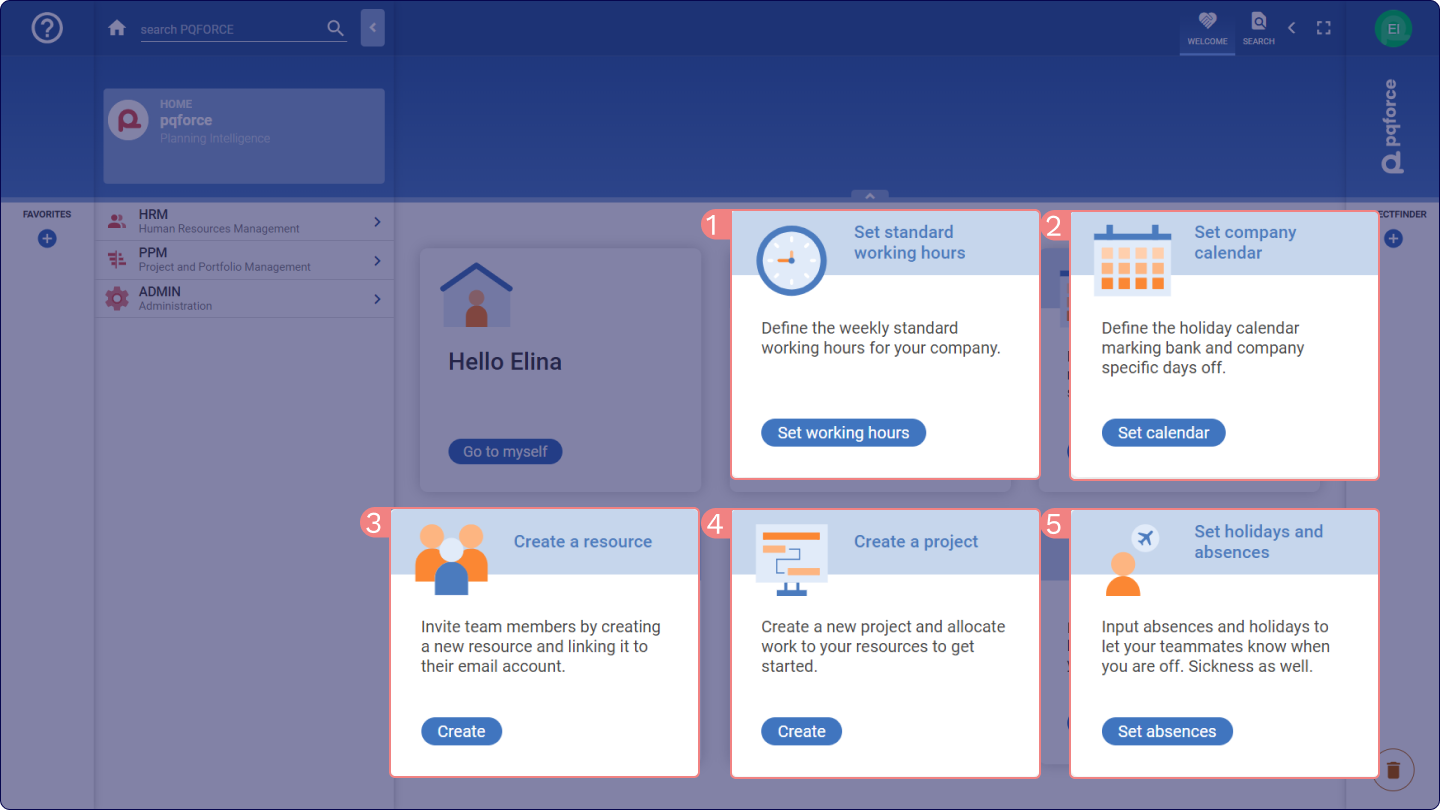
PQFORCE dashboard displays a set of shortcuts.
![]()
1 Standard Working Hours: Allows swift setup of regular working hours for the company, defining the organisation's typical work hours.
2 Company Calendar: Facilitates the creation of a comprehensive holiday calendar, incorporating public holidays and specific company off-days, thereby establishing overall availability settings for the company.
3 Resource Creation: Offers a direct link to creating new human resources for work scheduling. Additionally, users can invite resources by generating logins and adding email accounts within the individual resource profiles.
4 Project Creation: Provides a quick pathway to create new projects within the system.
5 Holidays and Absences: Enables efficient entry of planned holidays and absences for the currently logged-in user.
![]()
The Dashboard contains real-time information about TODOs and updates in PQFORCE in the form of so-called widgets. These widgets are partially interactive and let the logged-in user interact directly with relevant objects in PQFORCE without having to search for them in the Navigator.